

Disclosure: This post contains affiliate links. If you hire someone through them, I may earn a commission at no extra cost to you.
When someone near you searches “plumber near me” or “best bakery in town,” Google shows three businesses on a map before anything else. Those three get most of the calls. Local SEO for small business is how you become one of them.
The good news: you don’t need a big budget. Most of the work is free, and you can do it yourself in a few weekends. This guide walks you through every step, in the order that gets results fastest.
What is local SEO, and why does it matter for small businesses?
Local SEO is the work of making your business show up when people nearby search for what you sell. It covers your Google Business Profile, your Google Maps listing, your website, and what other sites say about you.
It matters because local searchers are ready to act. A person typing “emergency electrician” at 9pm isn’t browsing. They want to call someone in the next five minutes. If you appear in the map results, that call can be yours.
Local SEO also levels the field. A two-person shop can outrank a national chain in its own neighborhood, because Google cares about who is closest and most relevant, not who spends the most.
Step 1: Claim and optimize your Google Business Profile
Your Google Business Profile is the single most important part of local SEO. It controls what people see on Google Maps and in the local results.

Go to google.com/business, search for your business, and claim it. If it doesn’t exist yet, create it. Google will ask you to verify that you own it, usually by phone, email, video, or a postcard.
Once you’re in, fill out everything:
- Business name. Use your real name exactly as it appears on your sign. Adding keywords like “Best Plumber Dallas” breaks Google’s rules and can get your profile suspended.
- Primary category. This is the biggest ranking signal on your profile. Pick the most specific one that fits, such as “Hair salon” rather than “Beauty.”
- Secondary categories. Add the other services you offer, but only real ones.
- Address or service area. If customers visit you, show your address. If you travel to them, set a service area and hide your address.
- Hours. Keep them accurate, including holidays. Wrong hours lead to angry reviews.
- Phone number and website. Use a local number if you can.
- Description. Write 2 to 3 short paragraphs about what you do, who you serve, and where. Mention your main service and city once, naturally.
- Services and products. List each one with a short description and a price if you’re comfortable sharing it.
- Photos. Upload real photos of your storefront, team, work, and products. Skip stock images. Add new photos every month.
Your logo also appears on your profile, so make sure it looks professional. If you don’t have one yet, here’s how much a logo costs for a small business.
After setup, use the Posts feature once a week. Share an offer, a recent project, or a tip. Active profiles tend to get more engagement, and engagement helps.
Step 2: Understand how Google Maps rankings work
Google says local results are based on three things:
- Relevance. How well your profile matches what the person searched.
- Distance. How close you are to the searcher, or to the location in their search.
- Prominence. How well known and trusted your business is. Reviews, links, mentions on other sites, and your overall web presence all count.
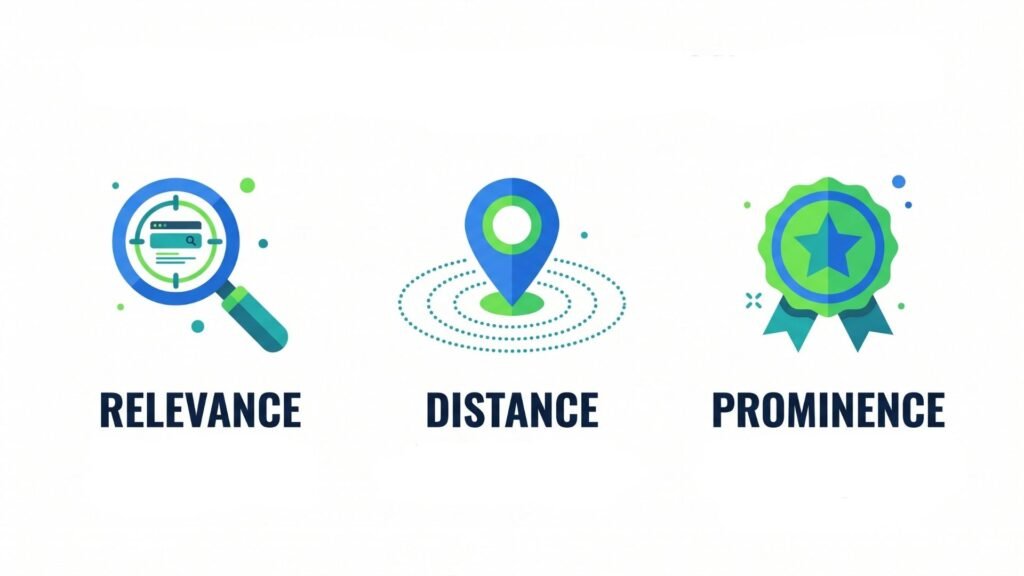
You can’t change distance. You can change the other two. Every step in this guide improves relevance, prominence, or both.
One honest note: rankings vary block by block. You might rank first for someone standing outside your shop and fifth for someone two miles away. That’s normal, so don’t panic if a friend across town can’t find you.
Step 3: Find the local keywords your customers actually use
Local keywords are the phrases people type when they want a business like yours nearby. They usually combine a service with a place, or include words like “near me.”
Here’s a simple way to find them for free:
- Start with Google autocomplete. Type your main service and your city, then note what Google suggests. For example, “wedding cake” might suggest “wedding cake prices Austin” or “wedding cake delivery.”
- Check “People also ask.” These questions show what customers worry about. Each one can become a section on your service page or an FAQ.
- Look at your competitors. Search your main keyword and open the top three local websites. Note the services and phrases they use in their headings.
- Ask your customers. How did they describe what they needed when they first contacted you? Use their words, not industry jargon.
- Use a free tool. Google Keyword Planner shows rough search volumes. It’s free with a Google Ads account, and you don’t have to run ads.
Group your keywords by service. Each main service should get its own page, built around one main phrase like “roof repair in Phoenix.”
Step 4: Fix your business name, address, and phone number (NAP)
NAP stands for name, address, and phone number. Google checks these details across the web. When they match everywhere, Google trusts your business more. When they don’t, Google gets confused about which version is right.
Common problems include an old address after a move, a different phone number on Facebook, or “Street” on one site and “St.” on another.
To fix it:
- Write down your official NAP exactly as it should appear.
- Search your business name on Google and list every site that mentions you.
- Update each listing to match your official version.
- Add or update your business on Yelp, Apple Maps, Bing Places, Facebook, the Better Business Bureau, and trusted industry directories such as Angi or Houzz.
These listings are called local citations. You don’t need hundreds. A few dozen accurate ones on trusted sites beat a pile of spammy ones.
Step 5: Earn and manage genuine customer reviews
Reviews affect both your ranking and whether people choose you. A business with 60 recent reviews at 4.7 stars will usually beat one with 5 reviews at 5.0 stars.

The best way to get reviews is to ask at the right moment. That’s right after a job goes well, when the customer is happy.
- Make it easy. In your Google Business Profile, find the “Ask for reviews” link. Send it by text or email.
- Ask everyone. Don’t only ask customers you expect to be happy. Google prohibits “review gating,” which means filtering out unhappy customers before they review.
- Never pay for reviews or offer discounts in exchange. Google removes fake and incentivized reviews and can penalize your profile.
- Reply to every review. Thank happy customers by name. For negative reviews, stay calm, apologize for the experience, and offer to fix it offline. Future customers read your replies, not just the reviews.
Aim for a steady flow, such as a few new reviews every month, rather than 30 in one week and then nothing.
Step 6: Optimize your service pages and location pages
Your website supports your Google Business Profile. Google uses it to understand what you do and where.
For each main service, create one page that includes:
- A clear title with the service and city, such as “Air Conditioner Repair in Tampa, FL.”
- A short opening that answers the main question. Say what you do, where, and how to book, in the first two sentences.
- Details customers care about: price ranges, how long it takes, what’s included, and your service area.
- Proof: photos of real work, short testimonials, and any certifications.
- Your NAP and a map, matching your Google Business Profile exactly.
- A strong call to action: a click-to-call button and a contact form near the top.
- An FAQ section answering the “People also ask” questions you found in Step 3.

If you serve several towns, create a location page for each one. Make each page genuinely different. Mention local landmarks, projects you’ve done there, and details specific to that area. Pages that only swap the city name are thin content and rarely rank.
Finally, check the basics. Your site should load fast on a phone, work on small screens, and use HTTPS. Most local searches happen on mobile.
Step 7: Avoid these common local SEO mistakes
These mistakes hold back many small businesses:
- Stuffing keywords into the business name on Google Business Profile.
- Using a virtual office or P.O. box as your address.
- Choosing a vague primary category.
- Leaving old, mismatched listings live across the web.
- Ignoring reviews, especially negative ones.
- Creating one service page that tries to cover everything.
- Copying the same location page with only the city name changed.
- Setting up your profile once and never touching it again.
- Buying cheap backlink or citation packages that promise hundreds of links overnight.
Step 8: Use this local SEO checklist and measure your progress
Work through this checklist, then review it every quarter.
- Google Business Profile claimed and verified
- Most specific primary category selected
- Description, services, hours, and photos complete
- One Google Post published per week
- NAP identical on website, Google, and top directories
- Listed on Yelp, Apple Maps, Bing Places, and Facebook
- Review request link shared after every job
- Every review answered within a few days
- One page per main service, with city in the title
- Location pages written uniquely for each area
- Site loads fast on mobile and uses HTTPS
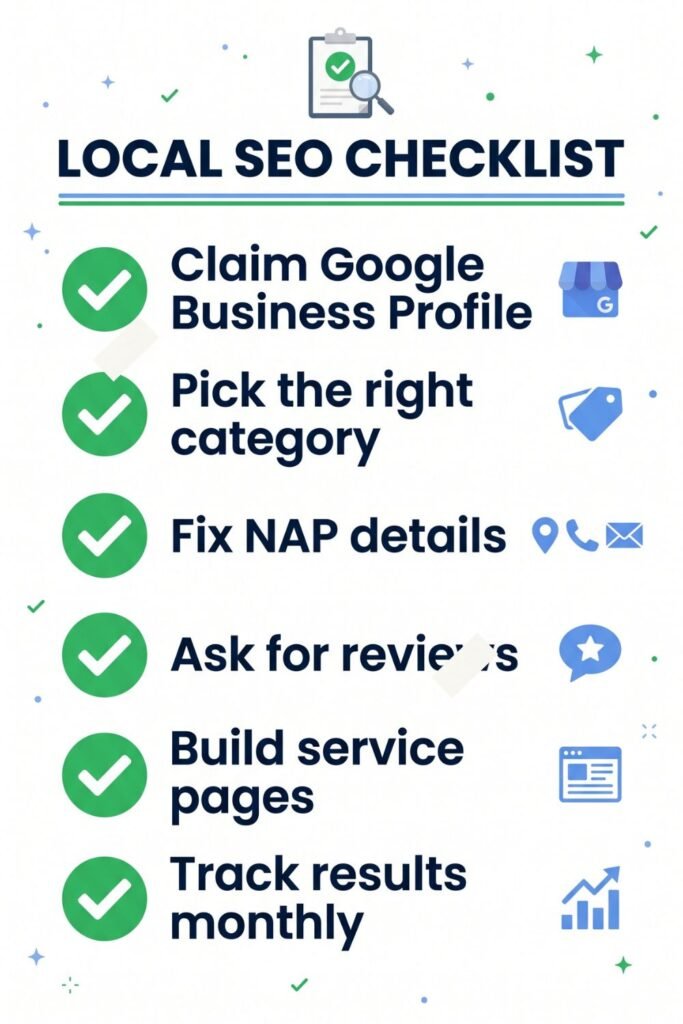
To measure progress, track these numbers once a month:
| What to track | Where to find it |
|---|---|
| Calls, direction requests, and website clicks | Google Business Profile performance report |
| Searches your profile appeared in | Google Business Profile performance report |
| Clicks and keywords for your website | Google Search Console (free) |
| Number of reviews and average rating | Your Google Business Profile |
| Leads or bookings from Google | Ask new customers how they found you |
Local SEO takes time. Most businesses start to see movement in 2 to 3 months, with stronger results after 6 months of steady work. Anyone promising first place in a week is guessing or breaking the rules.
Step 9: When to hire a local SEO expert
You can do everything above yourself. But it takes hours every month, and many owners would rather spend that time serving customers.
Consider hiring help if:
- You’ve followed the steps for 3 months and see no change.
- Your profile was suspended and you don’t know why.
- You have messy listings across dozens of sites.
- You need service and location pages written but don’t enjoy writing.
- You serve several cities and need a plan for each.
What to check before you hire anyone:
- Ask for local examples. They should show real profiles or sites they’ve improved, ideally in your industry.
- Get a clear task list. Good specialists tell you exactly what they’ll do, such as “optimize profile, build 40 citations, write 3 service pages.”
- Avoid guarantees. No honest expert can promise the number one spot, because Google controls rankings.
- Stay the owner. You should keep ownership of your Google Business Profile and website at all times. Add specialists as managers, never as owners.
- Read their reviews closely. Look for comments about communication and results, not only speed.
Where Fiverr fits in
If a local agency is out of your budget, Fiverr is a practical place to hire for specific tasks. You can find freelancers who focus on Google Business Profile optimization, local citation building, and local SEO audits. Many offer fixed-price packages, so you know the cost before you start.
A smart approach is to start small. Order one audit or one citation cleanup, check the quality, then hire for more if you’re happy. Read the gig description carefully, check the seller’s recent reviews, and message them with your business details before ordering.
If you want vetted, experienced specialists for a bigger project, check here Fiverr Pro lists sellers who have been reviewed by Fiverr’s team.
Browse local SEO specialists on Fiverr here.
Frequently asked questions
How long does local SEO take to work? Most small businesses see early improvements in 2 to 3 months. Strong, stable rankings usually take 6 months or more of consistent work.
Is local SEO free? The core work is free. Claiming a Google Business Profile, listing on directories, and asking for reviews cost nothing but time. You only pay if you hire help or buy tools.
Do I need a website for local SEO? You can rank on Google Maps with only a Google Business Profile. A website makes ranking easier and gives you more ways to win customers, so it’s worth having.
How many reviews do I need to rank on Google Maps? There’s no fixed number. What matters is having more recent, genuine reviews than your local competitors, and replying to them.
Can I do local SEO without a physical shop? Yes. Service-area businesses like cleaners and electricians can set a service area and hide their address on Google Business Profile.
What is the most important local SEO factor? Your Google Business Profile, especially your primary category, followed by reviews and consistent NAP details.
Start today
You don’t need to do everything at once. This week, claim your Google Business Profile and fill in every field. Next week, fix your NAP on your top listings. The week after, start asking every happy customer for a review.
Small, steady steps beat one big push. Keep going, and the calls will follow.
1 thought on “Local SEO for Small Business: A Step-by-Step Guide to Ranking Higher on Google”