
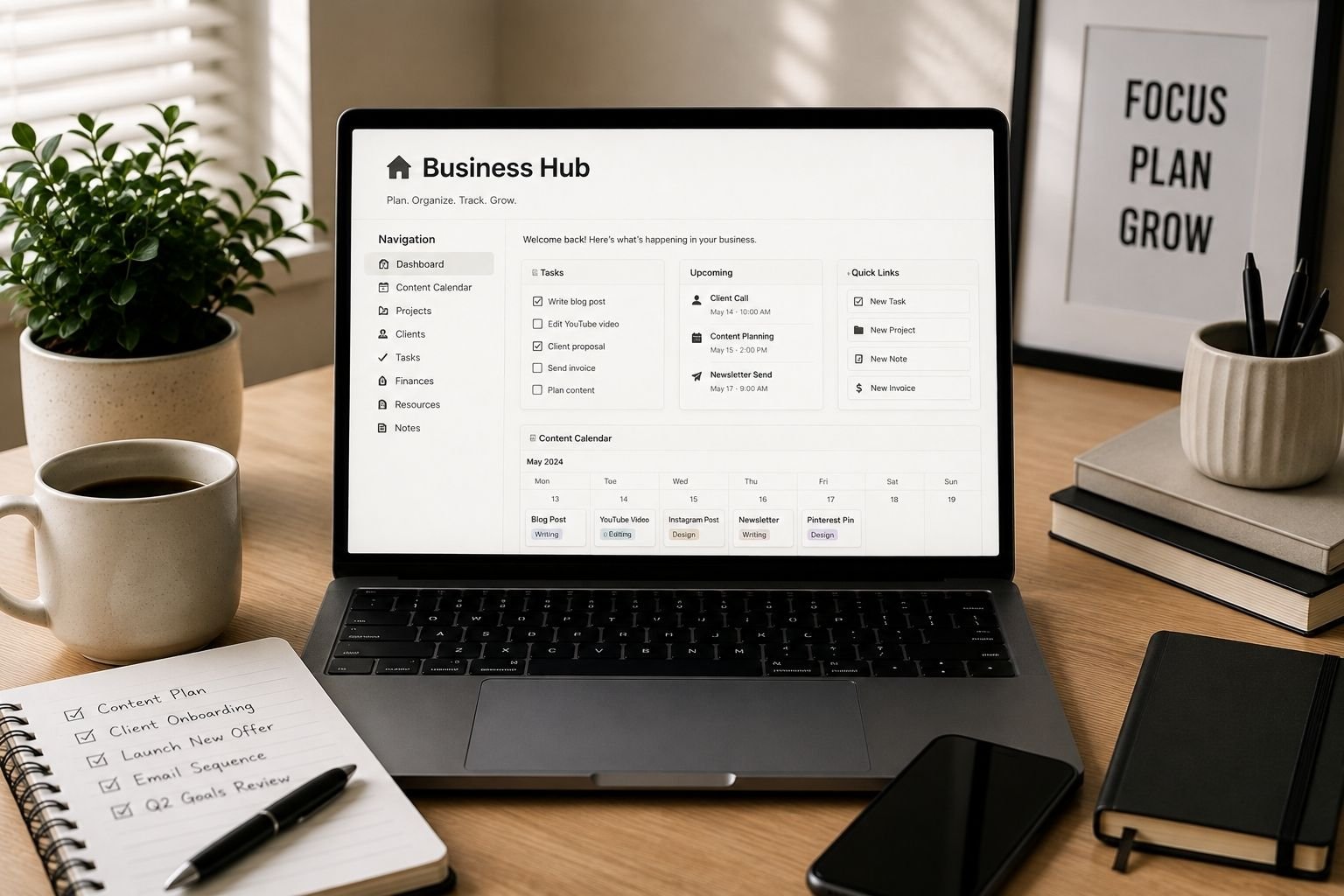
A notion setup for small business owners is something I put off building for over a year because every time I opened Notion to start, I closed it again within ten minutes. The blank page problem was real. I knew Notion could theoretically hold my content calendar, client tracker, and finances in one place, I just had no idea how to actually structure it.
What I was using instead
A mess, honestly. A content calendar in Google Sheets. Client notes scattered across two different note apps depending on which one I remembered to open that day. Invoices tracked in yet another spreadsheet that I updated inconsistently. Nothing talked to anything else, and I spent more time hunting for information than actually using it.
Why I Finally Paid Someone To Build It
I had watched enough Notion template videos to know the theory, databases, relations, linked views, but translating that into something that actually fit how I worked felt like a project I would never finish alone. I found a seller who builds custom Notion workspaces for small businesses, described my actual workflow instead of just asking for a generic template, and sent over examples of the scattered systems I was currently using.
What I Got Back
A single workspace with everything connected. My content calendar links directly to client projects. Invoices are tracked in a database that automatically flags anything overdue. Nothing lives in isolation anymore. It took about a week to build, and I have not opened a separate spreadsheet since. My entire business genuinely runs out of one tab now.

What’s Included For $120
- A workspace built around your actual workflow, not a generic template
- Connected databases, so your calendar, clients, and finances talk to each other
- A short training video walking through how to use your specific setup
- Built to be edited later, so it grows with your business instead of getting rebuilt
- One-time build cost, no ongoing subscription beyond your existing Notion plan
A Few Questions Readers Always Ask Me About This
Do I need a paid Notion plan for this to work?
Notion’s free plan covers most small business needs. If your workspace requires advanced automation or guest permissions beyond the free tier’s limits, the seller will usually flag that before starting the build.
What if I already have some systems in Notion?
Most sellers can work with what you already have and restructure it rather than starting from zero, which can actually save on build time and cost compared to a full rebuild.
Will I be able to make changes myself afterward?
Yes, this should be a normal Notion workspace you own and can edit freely, not a locked template. The training video is meant to cover exactly how to make common changes yourself.